

Step-by-step guide to register
Contact MySaskHealthRecord
Phone
1-844-767-8259 (Toll-free Canada and U.S.)
mysaskhealthrecord@ehealthsask.ca
8 a.m. to 4:30 p.m., Monday to Friday, excluding holidays.
Important: For the best experience, register for MySaskHealthRecord on a desktop or laptop computer. You can use a smartphone or tablet to log in and access your account after you’ve registered.
1. Create a Saskatchewan Account
If you don't already have a Saskatchewan Account create one on saskatchewan.ca.
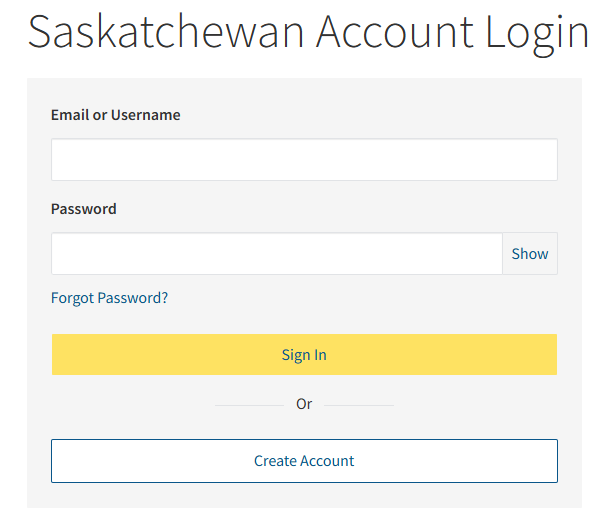
If you already have an account, skip to step 4.
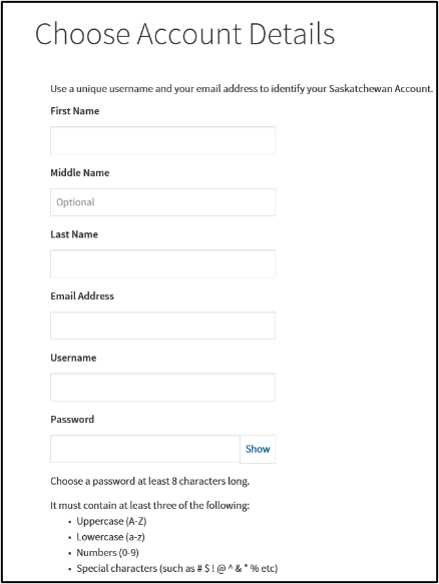
Fill in your account details:
- first name
- middle name (optional)
- last name
- email address
- username
- password
- Saskatchewan support code - this code will be used by customer service to verify your identity if you ever need help with your Saskatchewan Account.
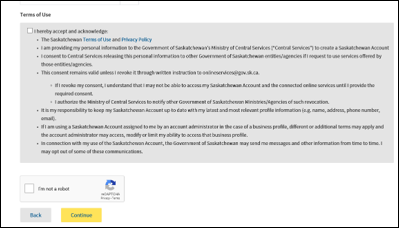
Accept the Government of Saskatchewan’s terms of use
- Read the Terms of use and privacy policy.
- Select the I hereby accept and acknowledge checkbox.
- Select the I'm not a robot checkbox to complete verification.
- Select Continue.
2. Check your email
Sign in to the email account that you used for registration and look for a new message.
If you don’t see a new message:
- The activation email may take up to 10 minutes to arrive.
- Check your junk/spam folder for the activation email.
- Try registering again and ensure the correct email address was entered.
- Request the activation email be resent.
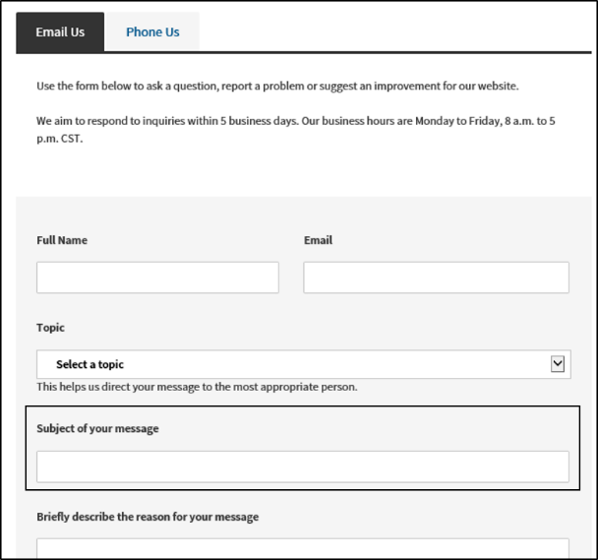
- Complete a MySaskHealthRecord support form.
3. Open the activation email
Find the email from no-reply@saskatchewan.ca with the subject Activate Your Saskatchewan Account. Open this email and select the activation link inside to verify your new account.
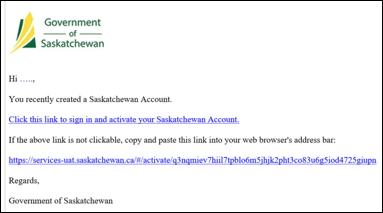
After selecting the link, you should see a confirmation message that Your account has been successfully activated.
4. Sign into your Saskatchewan account
After signing in, you’ll see your My Services page. Locate the MySaskHealthRecord section and select the Use Service button.
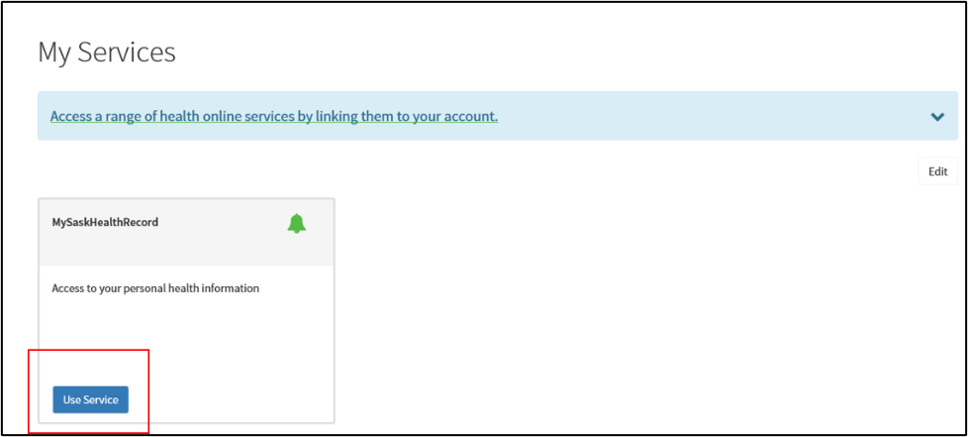
Read the MySaskHealthRecord terms and conditions. If you agree, scroll to the bottom of the MySaskHealthRecord terms and conditions page and select I consent to accept the terms.
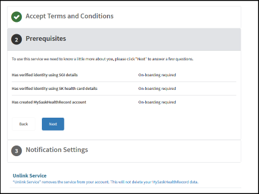
5. Review prerequisites
Review the list of prerequisites displayed for MySaskHealthRecord and select Next to proceed.
6. Verify your SGI photo ID
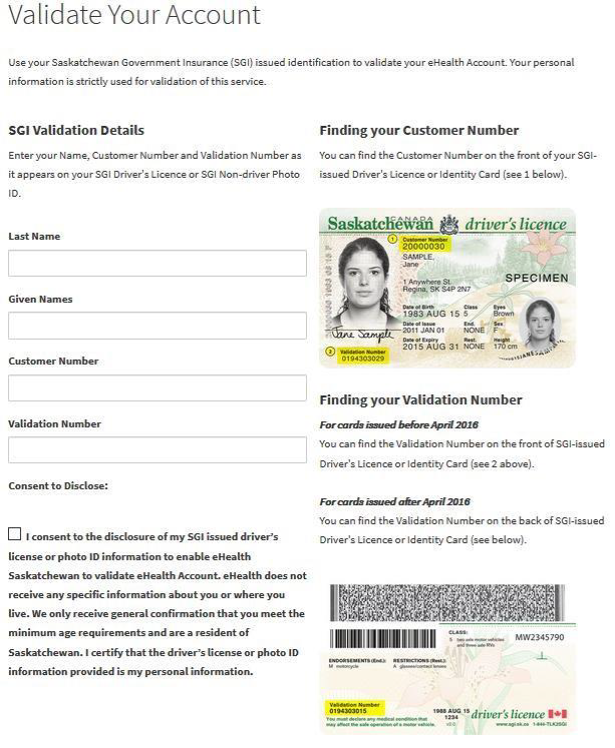
Enter the following information from your SGI driver’s licence or non-driver photo ID to confirm your identity:
- last name
- given name(s)
- customer number
- validation number
Your last name must match exactly what appears on both your SGI ID and health card. Include any middle name or initial as shown on your SGI ID.
Validation numbers must be 10 digits. If your validation number is only 9 digits, please add a zero in front.
Select Consent to Disclose box, then select Next.
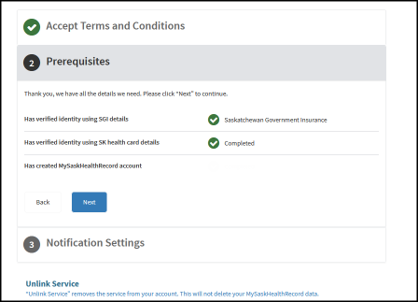
7. Review prerequisites
Review the list of prerequisites displayed for MySaskHealthRecord and select Next to proceed.
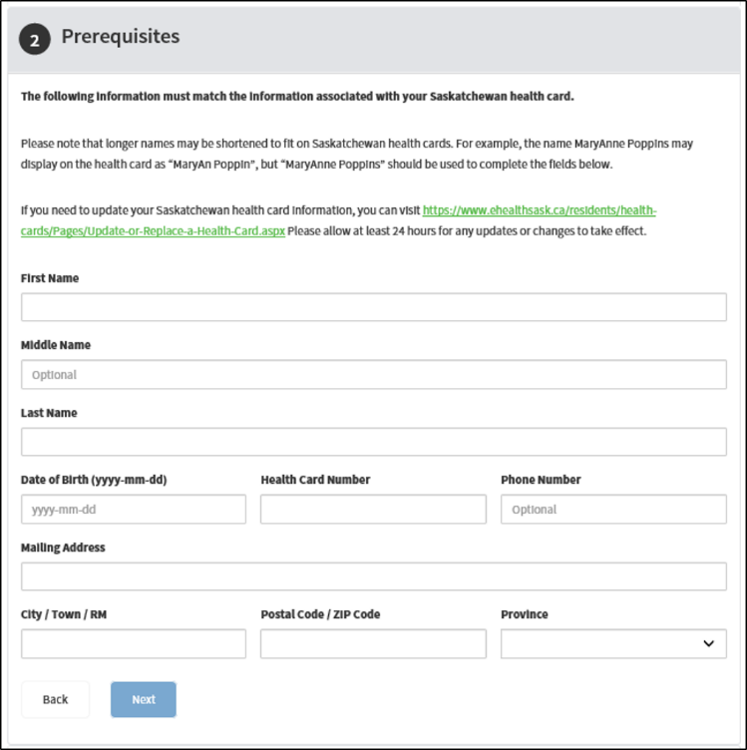
8. Verify health card
Enter your Saskatchewan health card information to validate it, including your:
- name – use full name
- health card number – do not include spaces
- postal code – do not include spaces
Important: Any updates to your health card information will require 24 hours before changes take effect, so please wait at least 24 hours before continuing with registration.
Select Next.
9. Review prerequisites
Review the list of prerequisites displayed for MySaskHealthRecord and select Next to proceed.
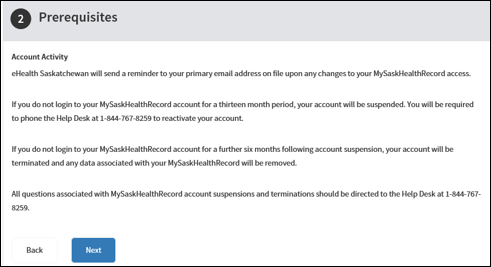
10. Review account activity
An Account Activity screen will appear, summarizing recent account actions (such as your identity verification).
Review the information, then select Next.
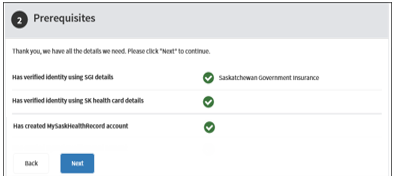
11. Confirm completion of prerequisites
The system will confirm that all prerequisite steps are complete.
Select Next to continue.
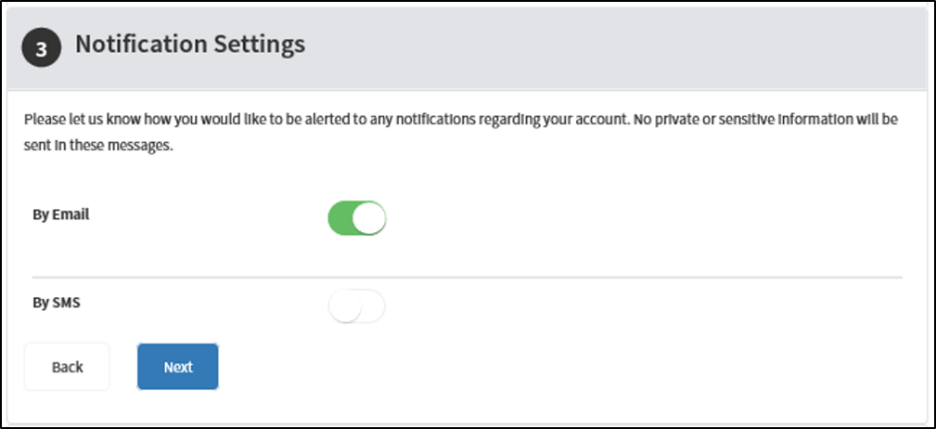
You will see a Notification Settings page. After reviewing, select Next.
12. Complete the application
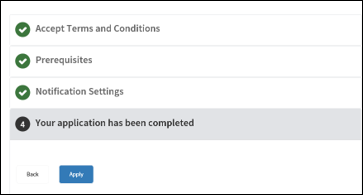
Your MySaskHealthRecord registration application is now ready to submit. Select Apply to finish the sign-up process.
13. Access your account
After you apply, your account setup is complete.
In the Tasks section of your Saskatchewan account, select View MySaskHealthRecord. This will launch your MySaskHealthRecord account.
It usually takes 24 hours for data to appear in your account.
You’re all set!
You now have access to MySaskHealthRecord and can view your personal health information online at any time.
Logging into MySaskHealthRecord
Once you have registered and set up your MySaskHealthRecord account, follow these steps to log in and use it:
Go to MySaskHealthRecord and click Log In.
Sign in to your MySaskHealthRecord account with your Saskatchewan account username or email address, and password.
MySaskHealthRecord will open and you will have access to your personal health information dashboard. You can now view your medical records, test results, and other health information securely.
Remember to log out of your account when you’re finished, especially if you’re on a shared or public computer. Enjoy the convenience of having your health records at your fingertips!